Home / Blogs / Google Updates Crawl Limit: Why the 2MB Rule Matters in 2026
In early 2026, Google quietly adjusted how Googlebot crawls web pages by lowering the crawl limit from 15MB to 2MB for HTML files and other text. Although this change wasn’t announced loudly, its impact on SEO is significant.
For years, Googlebot was able to fetch and process up to 15MB of HTML, allowing large pages to crawl and be indexed fully. But in 2026 googlebot shifted to a much stricter rule, where only the first 2MB of HTML and supported text-file is fully crawled.
In simple terms:
Googlebot only crawls up to 2MB of HTML / supported text-based files
Anything after 2MB is ignored or partially crawled
This applies to:
HTML documents
DOM content built by JavaScript (if heavy)
Text files(JavaScript-rendered content)
Pages with heavy HTML, which is common in sites built with page builders, heavy themes, or messy code, might fail to notice by Googlebot.
If the key headings, product description, or internal links come after 2MB, Googlebot might not crawl and process them due to which:
Important content is not indexed.
Target keywords won't be tracked
It may affect the rankings
Large page builders (like Elementor or Divi ) make websites look beautiful, but they add a lot of extra codes due to, which might make the page bigger than 2 MB even if the content isn't that much.
If your website takes a long time to load, then Googlebot might give up before reading the full page.
Extra HTML, unused CSS, or too many scripts make the page heavy.
Google uses content structure, text relevance, and internal links as ranking signals. If those elements aren’t crawled due to the 2MB limit, then the ranking of the website might drop
Let's see about how Googlebot crawlers work technically
Googlebot visits your website and downloads all the HTML.
It fetches all the HTML files.
It visits all the external and internal links.
After downloading:
Googlebot renders the page
Executes Javascript
Builds the DOM
Previously, it could process up to 15MB of HTML and DOM, allowing deep render execution.
Today, Googlebot stops after 2MB. If your page is bigger than that, rendering stops, then it doesn't crawl the remaining parts of your site.
After Googlebot crawls your page and renders it, Google then decides what information to store in its search index(it's a big database of web pages).
During this step:
Google decides and chooses which content is important
It stores the content in its search index
It analyzes it to decide how it should rank in search results
Important:
If Googlebot never reached some parts of your page because the page is larger than 2 MB, Google cannot see that content.
So,
That won't be indexed
It won't appear in search results
It won't help your rankings
In simple words, if google doesnt read the part of your page, it can't save it and rank it in search results.
Not all the websites are affected heavily, but which gets hit the hardest help us to fix the prioritization.
High‑Risk Websites
E-commerce sites with giant product pages
Page builder sites (Elementor, Divi, WPBakery)
Sites with large DOM sizes
Heavy JavaScript frameworks (e.g., React without SSR)
Sites with tons of inline CSS/JS
Low‑Risk Websites
Static sites (lightweight HTML)
Simple blogs without page builders
CMS sites optimized for speed
Sites under 2MB total HTML
You can fix crawl issues by auditing page sizes and optimizing structure.
The first step is to measure how big your HTML file is.
Tools You Can Use:
Right‑click → Inspect → Network → Reload
Check the size of the HTML response
Crawl your site
Filter by HTML size
Identify pages over 2MB
Curl Command
curl -I https://yourdomain.com/page
Check the Content‑Length header
If your HTML size is over 2MB, you’re likely affected.
The goal is to make your HTML size smaller than 2MB.
Ways to Reduce:
Remove unused CSS and JavaScript
Minify CSS, JS, and HTML
Use server‑side rendered (SSR) frameworks
Avoid loading unnecessary scripts above the fold
Reduce the use of bulky page builders
Compress content where possible
Every kilobyte counts, especially with today’s stricter crawl limit.
Because Google only reads the first 2MB of HTML, your most important content should come early.
What to Prioritize Above 2MB
Title and meta tags
Primary headings (H1, H2)
Main body text and core keywords
Internal links
Featured images (if HTML embedded)
Avoid placing non‑critical templates or widgets before important SEO elements.
Case Example (SEO Before & After)
Let’s walk through a real‑world scenario:
Before Optimization
Product page HTML: 3.4MB
Googlebot processed only the first 2MB
Product descriptions and internal links were below the cutoff
Ranking dropped for target keywords
After Optimization
Minified HTML to 1.7MB
Moved core content toward the top
Removed unused CSS and JS
Googlebot now crawls full content
Results
Improved indexing
Target keywords began ranking better
Increased organic visibility
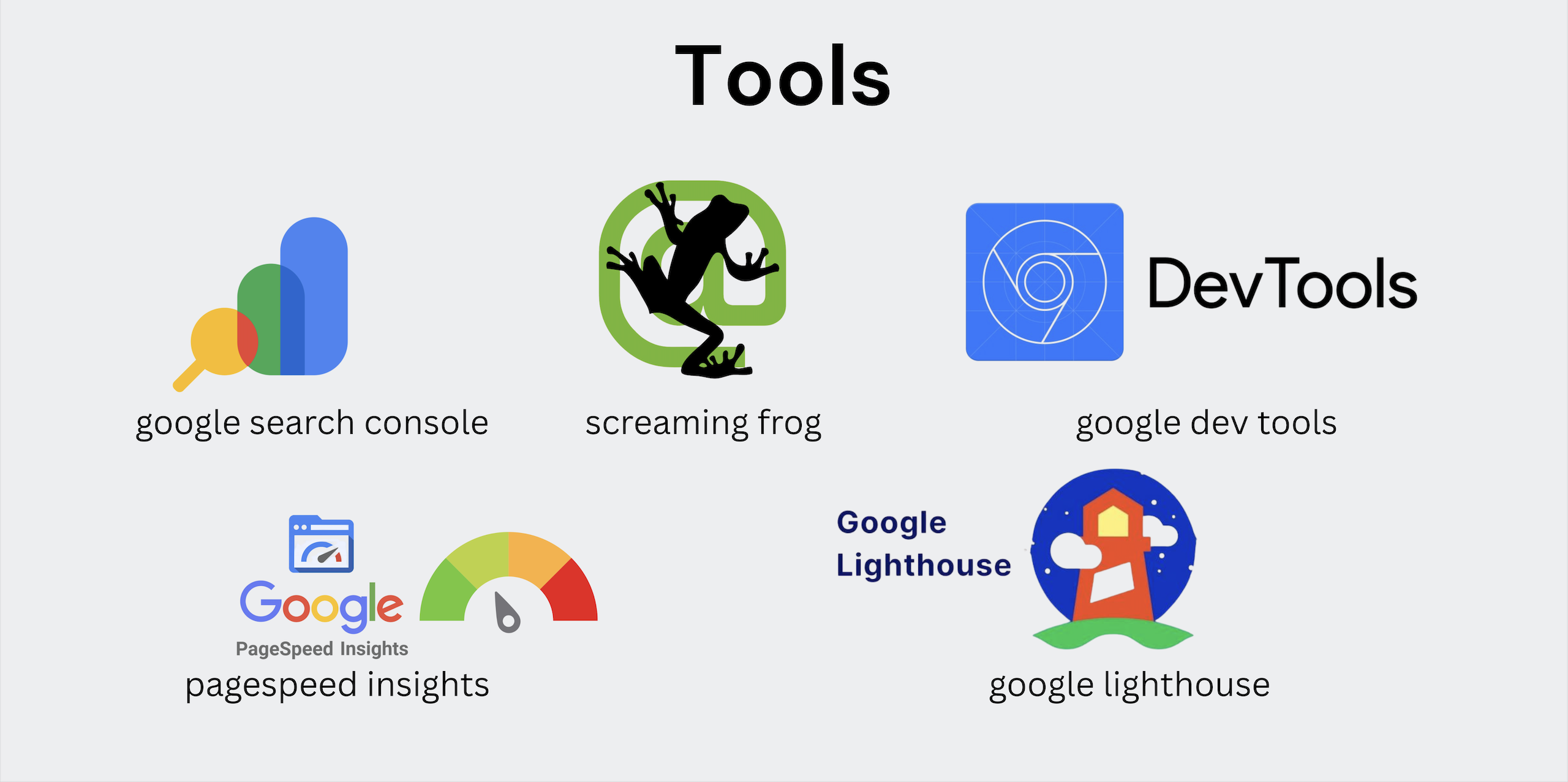
Here’s a toolkit to help you audit and fix crawl issues.
This report shows which pages are indexed, have errors, and which pages Google could not crawl and index.
It checks things like page loading speed, mobile friendliness, and core web
vitals.
This is the SEO auditing tools that help you do :
Find pages with large HTML size
Detect broken links
Check meta tags and headings
This is a built-in tool inside the Google Chrome browser.
You can use it to:
Check page size
View HTML structure
Analyze network requests
These tools analyze how fast and optimized your website is.
They show :
page speed score
Performance issues
Accessibility improvements
Your HTML file should contain only the necessary code needed to display the page.
If a page contains too much code, it becomes heavy and slow, which makes it harder for Googlebot to crawl the full page.
Redundant code means extra or repeated code that is not needed.
For example:
Unused CSS styles
Duplicate scripts
Repeated HTML elements
These extra codes increase page size without adding value
Structured data (Schema markup) helps search engines understand your content better.
It is useful for:
Articles
Products
Reviews
FAQs
But adding too much unnecessary structured data can make your HTML file larger.
Since Google may only process the first part of your HTML, your most important content should appear near the top of the page.
Important elements include:
Page title
Main heading (H1)
Key text content
Important links
Lazy loading means loading content only when it is needed.
For example:
Images below the fold
Videos
Ads
Widgets
Instead of loading everything at once, the browser loads it when the user scrolls down.
These will help ensure Googlebot can crawl what matters most.
The 2026 update to Google’s crawl limit, dropping from roughly 15MB to just 2MB, is a big deal. It forces developers and SEOs to rethink page structure and optimization.
If your pages are too large or poorly structured, Googlebot may skip important content altogether, directly impacting SEO and rankings.
To succeed:
Audit your page’s HTML size
Reduce bloated code
Prioritize critical content early
Use tools and best practices to stay under the limit
Done right, lightweight and well‑organized sites will rank better, load faster, and attract more organic traffic, making the 2MB rule an opportunity, not a setback.
The Google 2MB crawl limit is the maximum amount of HTML/text Googlebot will process on a page. Anything beyond that may not be crawled or indexed.
If critical content is below the 2MB cutoff, Googlebot may not see it, leading to poor indexing and lower rankings.
Pages over 2MB may be indexed partially, but not fully crawled. Optimizing under 2MB ensures Google can see and index all content.
How to check if a page is over 2MB?
Using tools like Chrome DevTools, Screaming Frog, or server headers (curl) to measure HTML size.
The 2MB limit applies to HTML/text files only. Images are separate resources but can impact page load speed and rendering if not optimized.